Run your whole glazing business from an iPad
The office in Safari, the production board at the bench, a trade counter, and surveys and fittings on site — one system, on one kind of device, all looking at the same jobs.
The app is for staff of companies that use Coglass — you sign in with the login your company gives you.
- Office, workshop, counter & site
- Works offline in the workshop and on site
- Every feature on every plan
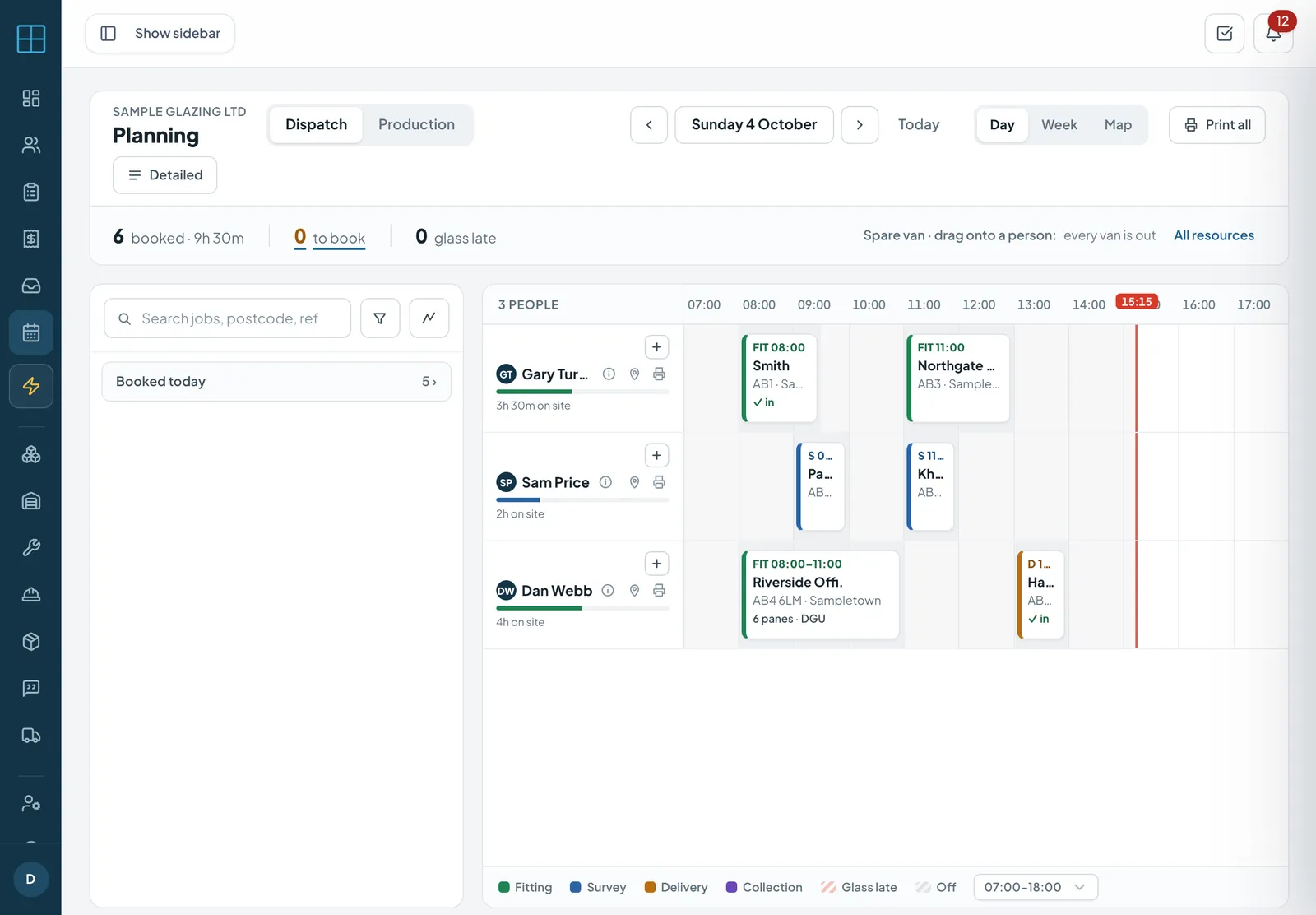
The real planner in a browser at iPad landscape size (1180 × 820), on a local demo account with made-up details.
- Officequotes, planner, invoices
- Shop floorboard, cut list, scanning
- Counterprice, sell, sign out
- On sitesurvey, fit, sign off
The whole office CRM in Safari on the iPad
Coglass runs in the browser, so the iPad gets the same office system as the desktop — no separate app to learn. Sign in at your own Coglass address and work from the sofa, the showroom or the customer's kitchen table.
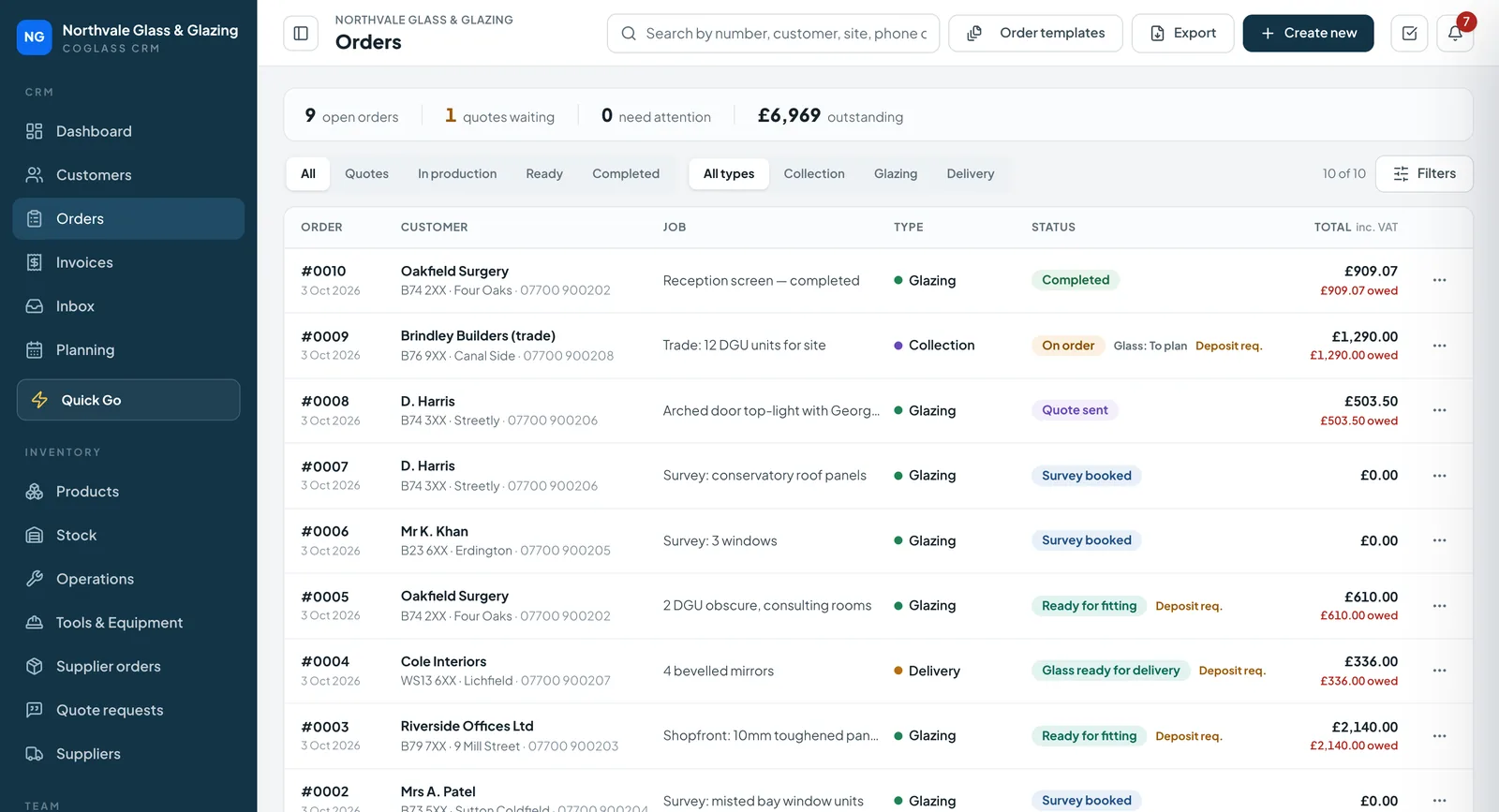
- Orders, quotes and the work bench
- The planner — drag jobs onto people and vans
- Invoices, payments and the inbox
- Customers, products, suppliers and settings
- Best in landscape; fold the side menu away for more room
The production board on an iPad at the bench
The shop-floor app is part of the Coglass app on the App Store. Lay it on the bench and the workshop sees every pane that needs making, in the order it needs making.
- Six lanes: To plan, Waiting supplier, Glass in, In production, Ready, Made
- Cut list by station, with the glass drawing beside it
- Scan to advance — with the iPad camera or a keyboard-wedge yard scanner
- Sealed units: “Sealed” stays locked until every pane is ready
- Keeps working when the workshop wifi drops, and catches up after
- One shared iPad, with a PIN for each person
Shop floor · cut list
Drawn illustration of the shop-floor app.
Quote, sell and sign it out at the counter
The Counter tab turns the same iPad into a trade-counter till for cut-to-size glass. Pick the product, type the size, add the processes — the price updates as you go.
- Live pricing from your catalogue as you add sizes and processes
- Holes and cut-outs drawn on the same drawing editor the fitters use
- Record the sale as cash, card taken or on account — the invoice is raised for you
- The customer signs for the glass on screen; the signed collection note is emailed to them
Counter · cash sale
Drawn illustration of the Counter tab.
Surveys and fittings on the iPad too
The fitters' app runs on iPhone, Android phones and the iPad. A bigger screen helps when you are drawing an arched top-light or a run of Georgian bars on the survey.
- Surveys: shapes drawn to size, photos per opening, GPS and access notes
- Works with no signal and syncs when you are back in range
- Per-pane fitting sign-off — fitted, partial or not fitted, with photos
- The customer signs on screen when the job is done
Survey · K. Khan
Run the office from the app when you're out
Owners and office managers who sign in to the Coglass app get more than the fitters' day: the jobs that need you, the inbox, quoting and the planner.
- Home: new enquiries, quotes waiting, orders to place and money to collect
- Messages: read and reply to customer emails, or start a new one
- Quote on the work bench and send the quote from the app
- Move a booking: press and hold it on the planner and drag it to a new time or person
- Record a payment or send a pay-online link
Planning · Tue
More of Coglass
See it on an iPad
Book a demo and we will show you the office, the shop floor and the counter on the kind of jobs you do.